Faceit anti-cheat · Windows PC · Worldwide

CS2 cheats

Read the Round Before You Peek on Faceit

CS2 cheats for Faceit on Windows PC. Track players with player ESP and radar, tune smooth aim, FOV, and bone selection, and check Faceit status notes before you queue. Instant portal delivery and Discord support.

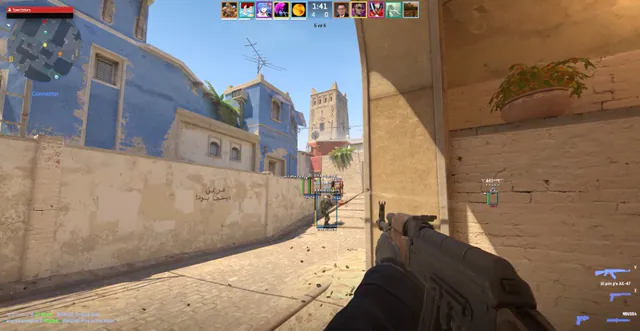
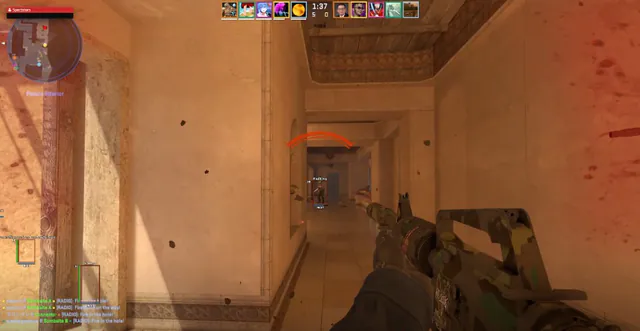
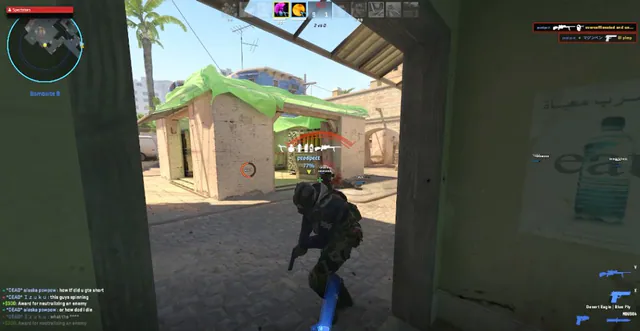
Player ESP, health, and radar on the FACEIT software build
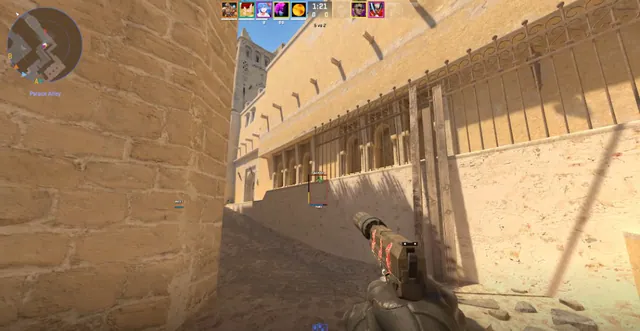
CS2 smooth aim and FOV tuning on Windows PC
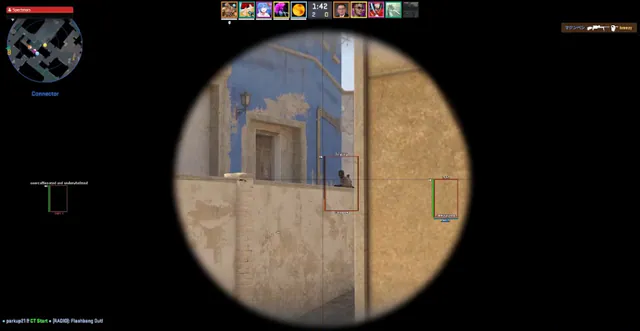
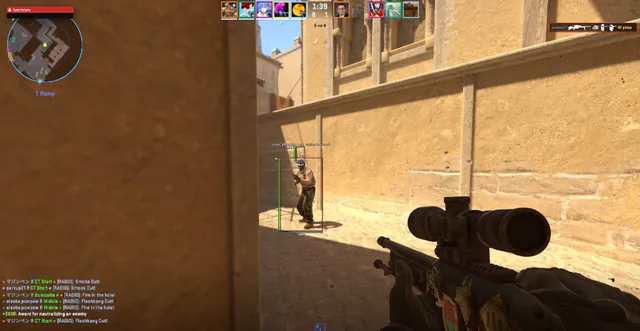
CS2 player ESP with boxes and health on a competitive map
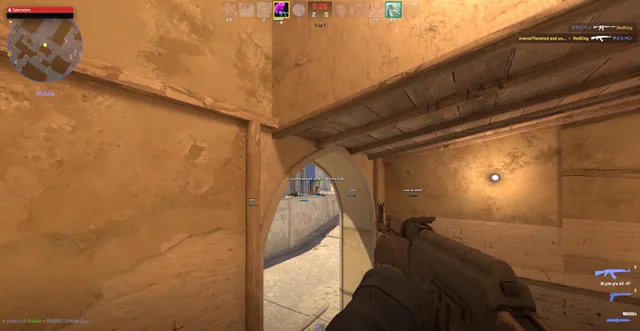
CS2 radar overlay beside player ESP
CS2 competitive overlay with health readouts
CS2 ESP boxes around players on Mirage
CS2 skeleton ESP on a competitive map
CS2 stream-proof overlay and menu hotkeys

Faceit

Anti-cheat

USD

Currency

Windows PC

Platform

24/7

Support

Soft Aim
Player ESP
Skeleton
2D Radar
Boss Markers
Loot ESP
Stream-Proof Overlay
Instant Delivery
Soft Aim
Player ESP
Skeleton
2D Radar
Boss Markers
Loot ESP
Stream-Proof Overlay
Instant Delivery

Modules

Module overview

Fifteen modules: FACEIT scope, aim, player visuals, radar, a stream-proof overlay, configs, and hotkeys.

FACEIT Version

FACEIT anti-cheat only

This build is the FACEIT version. It is built for FACEIT anti-cheat, not for standard Valve matchmaking or Premier.

  • This product is the FACEIT Version only
  • Built for FACEIT anti-cheat
  • Not for standard Valve matchmaking / Premier

Aimbot

Four aim controls

Smooth aim, FOV control, bone selection, and a visible check. Nothing else sits in the aim group.

  • Smooth aim
  • FOV control
  • Bone selection
  • Visible check

Visuals

What you see on screen

Player ESP, a skeleton, a box, health, radar, and a stream-proof overlay.

  • Player ESP
  • Skeleton
  • Box
  • Health
  • Radar
  • Stream-proof overlay

Misc

Config and keys

Save or load a config, and bind the hotkeys that open the menu.

  • Config save / load
  • Hotkeys

See all 15 modules with descriptions on the FACEIT product page

Store

Products & pricing

Faceit-ready game modules, a hardware-profile spoofer, and a UGC account recovery workspace. Each card lists its own USD plans.

Why us

Loader updates after Faceit patches

Most shops go dark after Faceit or CS2 updates. We ship loader rebuilds fast, keep aim defaults conservative, and help with setup 24/7.

  • Loader updates after patches

    New builds usually go out within hours of a CS2 or Faceit update. Check Discord before you queue.

    cheatsforcs2.com
    Typical shop
  • Smooth aimbot defaults

    Smooth aim, FOV, and bone selection start conservative. Tighten them after a quiet test.

    cheatsforcs2.com
    Typical shop
  • Discord support

    People on Discord help with loader setup, weapon configs and HWID resets. Coverage is 24/7.

    cheatsforcs2.com
    Typical shop
  • External loader + stream proof

    External loader with stream-capture mode so overlays stay off your broadcast feed.

    cheatsforcs2.com
    Typical shop
  • Cloud configs

    Save a config and load it on another Windows PC.

    cheatsforcs2.com
    Typical shop
  • HWID resets

    Hardware resets and license moves go through Discord. Most shops lock you to one PC.

    cheatsforcs2.com
    Typical shop

<24h

Patch turnaround

Usual time to ship a loader after a large CS2 client update.

24/7

Support

Discord help for setup, configs and account issues.

300+

Users

Windows players using the modules listed on cheatsforcs2.com.

Setup

Get your CS2 modules running in three steps

Complete checkout, download the loader, load a conservative preset, then launch Counter-Strike 2 after you confirm Faceit status.

  1. Buy and download the loader

  2. Load presets

  3. Check status and play

How it works

From checkout to a Faceit queue.

Pick a plan, download the loader, enable player ESP and smooth aim, then save your config.

4 steps

  1. 01

    Check status

    Read the status note on cheatsforcs2.com before you buy or launch.

  2. 02

    Pick a plan

    Choose the game module, the hardware tool, or the account tool, then a plan length that product lists.

  3. 03

    Launch and set up

    Download from the portal, turn on the modules you need, and test before you queue.

  4. 04

    Save your config

    When the settings feel right, use config save / load so the same hotkeys come back next session.

Guides

CS2 guides & patch notes

Filter by topic, sort by date or read time, and open any card for the full guide.

best cs2 cheats compared on fifteen FACEIT modules: smooth aim, player ESP, radar, a stream-proof overlay, config save / load, and hotkeys.

Config save / load and hotkeys are the only misc options. Save smooth aim and visuals once, then open the menu with a hotkey.

An HWID spoofer rotates how a PC fingerprint appears. It does not remove an account penalty. Read the portal guide before you relaunch.

FAQ

Common questions

Checkout, portal delivery, Windows requirements, and support channels.

Where do I check product status before launch?
Use the Check status page and your portal before you launch—especially after a CS2 or Faceit update.
What happens after I buy?
Your portal unlocks the loader and setup guide after checkout clears. Follow the guide on Windows PC before you launch the game client.
Can third-party tools lead to account action?
Yes—any modification carries risk. Faceit and VAC systems evolve. Check status and accept the risk before use.
What is the risk of a hardware ID (HWID) ban?
Client checks can flag your PC profile, not just the account. That can block the same hardware from new accounts until the flag clears or you use a separate tool such as the hardware profile tool. We do not guarantee you will avoid a HWID ban—Check status and only continue if you accept that risk.
Which platforms are supported?
Windows 10 or 11 64-bit only. macOS and Linux are not supported.
Can I move my license to a new PC?
Use the HWID reset in your portal or open a support ticket with your order email.
Where are products listed?
All products, plans, and checkout links live on the Products page with feature lists for each tool.

Search

↑ ↓ navigate · Enter open · Esc close